Piano StarTuber
ZEZE GameMusic
3.59.00 Reviews
- Version
- 1.0.29
- Installs
- 500.00K
- Age Rating
- Everyone
Screenshots
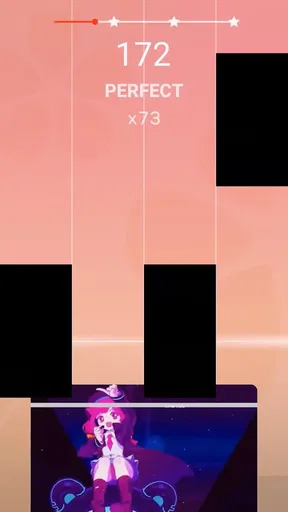
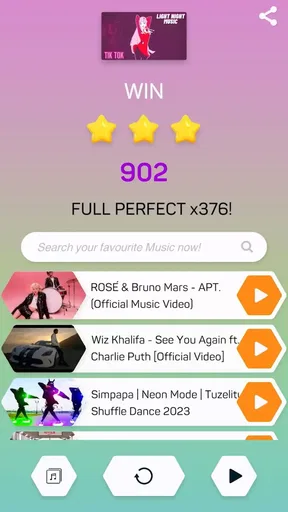
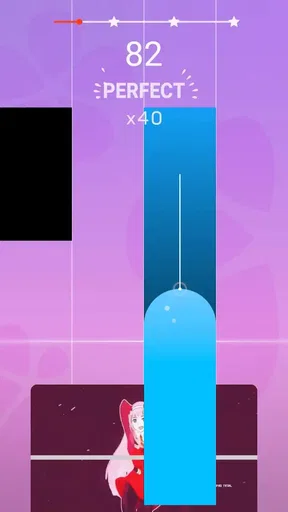
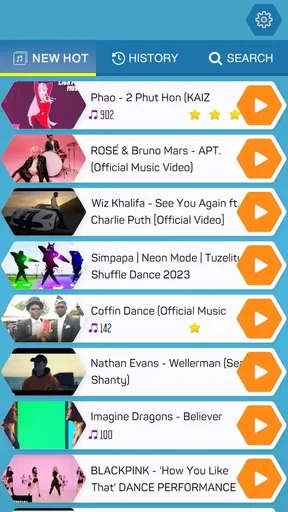
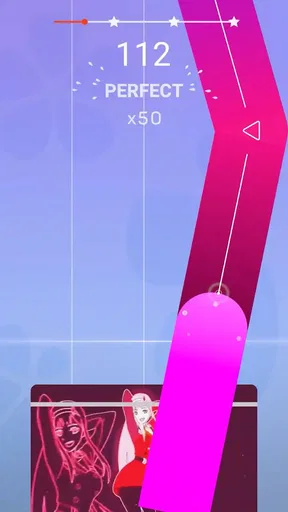
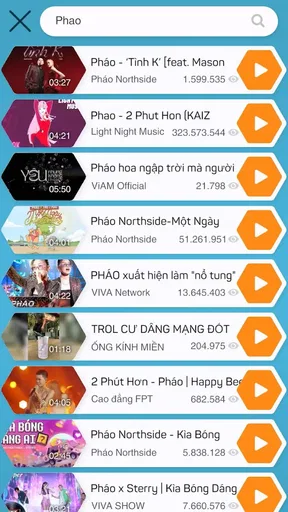
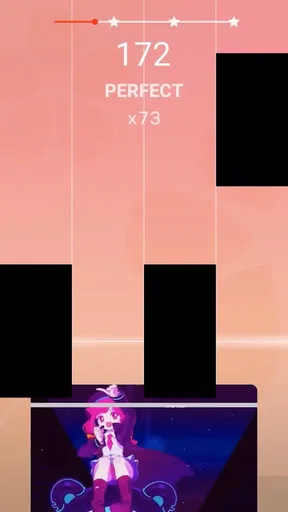
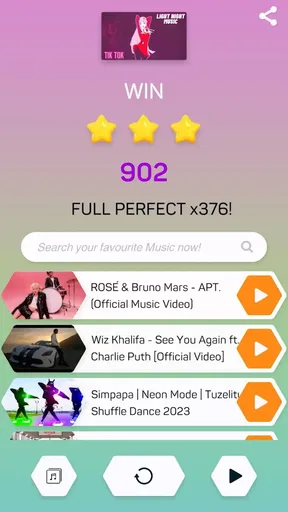
Our Review of Piano StarTuber
 Analysis by Appyee
I approached Piano StarTuber as a quick music game rather than a serious piano-learning tool, and that distinction matters from the first few minutes. Its appeal is immediate: tap along to songs, chase a cleaner performance, and enjoy the feeling of playing familiar music without needing a keyboard. I found it easiest to recommend to people who want a light rhythm challenge on a phone, especially during short breaks, rather than to anyone expecting structured lessons or realistic instrument practice.
The game comes from ZEZE Game and is available as a free download for Android users. It is listed for Everyone, which makes it approachable for families and casual players, although younger users may still need supervision around optional purchases. The current release is version 1.0.29, and it runs on Android 8.0 or newer. That combination gives it a fairly broad reach, while the store summary’s promise of playing hits “your way” captures the central idea better than calling it a piano simulator.
How to decide whether this music game fits you
My first decision criterion is the kind of satisfaction you want. If you enjoy rhythm games, score chasing, and improving through repeated attempts, this format makes sense. If you want to learn finger placement, read notation, or build a dependable practice routine, I would look toward a dedicated piano-learning app instead. Piano StarTuber turns music into an arcade-style interaction; it does not replace a teacher, a keyboard, or a lesson plan.
The second criterion is tolerance for repetition. A music game becomes enjoyable when repeating a track feels like progress rather than work. Here, the likely loop is straightforward: choose a song, respond to the notes, try to avoid mistakes, and replay when you want a better result. That can be satisfying for a few minutes at a time. It can also feel narrow if you prefer open-ended creation, long sessions, or a broad collection of musical tools.
I also considered how much attention the game demands. This is not the sort of app I would open while watching a show or carrying on a conversation. Rhythm play depends on timing, and even a simple pattern becomes harder when the screen is crowded with distractions. In everyday use, it works best when I can give it a quiet pocket of concentration, such as waiting for an appointment or taking a short break after work.
A useful way to test it is to play one track casually, then repeat it with a specific goal. On the first run, I focus on understanding the pace and visual flow. On the second, I stop looking at the score and concentrate on anticipating the next notes. That small change helps reveal whether I enjoy the timing itself or only the novelty of the song selection. If the second attempt feels rewarding, the game has a good chance of holding my attention.
The first-session experience and the learning curve
I like that a piano-themed rhythm game can make the basic idea understandable without musical training. You do not need to know chords or scales before beginning. The challenge is recognizing the incoming pattern and responding accurately, which gives beginners a clear entry point. Someone who has never touched a piano can still understand the goal quickly.
That simplicity has a trade-off. Players who already use rhythm games may find the early experience familiar rather than surprising. The enjoyment then depends heavily on the songs, the feel of the note timing, and whether improving a run feels meaningful. I would not choose it because I expect a deep mechanical system. I would choose it because I want music-flavored reflex play that starts quickly.
My practical advice is to avoid judging the game solely by the first attempt. Early mistakes often come from watching the wrong part of the screen or tapping reactively instead of preparing for the next note. I found it more useful to watch the path of the notes and keep my hand relaxed. Tensing up encourages late taps, especially when a faster sequence arrives.
Another useful habit is to treat each replay as a focused exercise. On one attempt, work on staying in rhythm. On another, try to reduce hesitation at transitions. This is more effective than simply replaying without a goal. It also makes the game feel less dependent on luck, because improvement comes from changing how you read the pattern rather than hoping the next run goes better.
Where Piano StarTuber is strongest
The strongest part of the concept is accessibility. A piano game can sound intimidating if it is presented as a realistic instrument, but this one is easier to approach as a music challenge. I could imagine handing it to a friend who likes popular songs but has no interest in studying piano. The barrier to entry is much lower than buying a keyboard or learning an unfamiliar interface.
It also fits short sessions well. I would use it when I have ten minutes to spare, not necessarily when I want to settle in for a long gaming evening. The compact format makes it suitable for a quick mental reset: play a song, try to improve a mistake, and stop before the activity becomes tiring. That makes the game more practical than a large music-production app for casual use.
Another strength is the way it gives non-musicians a sense of participation. I am not actually developing full piano technique, but I am still responding to melody and timing. That distinction is important. The game can create a satisfying musical illusion without asking me to understand theory first. For many players, that is exactly the right level of involvement.
The free entry point also helps with the decision. I can try the core experience without paying upfront, which lowers the risk of discovering that the rhythm style is not for me. Optional in-app purchases cost $0.99 per item, so I would still make a habit of checking what a purchase unlocks before confirming it. The free starting point is useful, but “free” does not mean every part of the experience has the same cost.
Its audience is reflected in its reach: the game has passed 500 thousand installs and holds an average rating of 3.5 from 718 ratings. I read that as evidence of real interest, not as a guarantee that every player will enjoy it. The rating suggests a mixed experience, so I would recommend trying it personally rather than assuming popularity settles the question.
Small techniques that make play more comfortable
One non-obvious adjustment is to choose a stable grip before starting. Holding the phone loosely with both hands can make fast taps more controlled than balancing it in one hand. I also prefer playing with the device supported when possible, because tiny shifts in position can change where my fingers land. This matters more as patterns become quicker.
Screen cleanliness is another practical detail. Finger marks can make note paths harder to read, particularly when the game relies on bright visual movement. Wiping the display before a focused session sounds minor, but it removes one unnecessary source of missed taps. I would also disable interruptions when I want a serious attempt, since a notification appearing at the wrong moment can ruin a run for reasons unrelated to skill.
Volume deserves a little thought as well. Music games are easier to follow when the audio gives a steady sense of timing, but playing loudly for long periods is not comfortable. I found moderate volume more useful than maximum volume, especially when I was concentrating on visual cues. If I am in a public place, headphones make the experience less intrusive, though I would still keep the surrounding environment in mind.
Finally, I would not chase perfect results immediately. Repeating one difficult section mentally can create frustration, while alternating between a comfortable song and a demanding one keeps the session balanced. That approach is particularly helpful for children or beginners, because each session ends with a sense of progress instead of becoming a test they keep failing.
Where other music apps may fit better
The usual alternatives fall into different categories, and Piano StarTuber should not be compared with all of them as if they served the same purpose. A piano-learning app is better for someone who wants lessons, notation, hand coordination, or a planned path from beginner exercises to songs. A music-creation app is better for someone who wants to compose, record, arrange, or experiment with sounds. A conventional rhythm game may be better for a player who cares more about complex mechanics than the piano theme.
I would also choose a real keyboard, or an app designed around keyboard input, if the goal is transferable playing ability. Tapping a phone screen can improve timing awareness and provide entertainment, but it does not give the same physical feedback as pressing keys with different fingers. Someone preparing for lessons should treat this game as a warm-up or diversion, not as their main practice environment.
There is a further trade-off for people who want variety outside popular-song play. A dedicated virtual instrument can offer more control over notes, tempo, and sound shaping. Piano StarTuber is more focused on responding to presented material. That focus is a benefit when I want clear goals, but a limitation when I want to decide exactly what to play and how it should sound.
The game may also be a poor choice for players who dislike score pressure or repeated attempts. Even when the presentation is friendly, rhythm challenges naturally encourage comparison with earlier runs. If I want a calm musical toy with no concern about accuracy, a free-play instrument would suit me better. If I want a deep competitive system, I would look for a rhythm title built around more demanding progression.
What switching from another option really involves
The cost of switching to this game is mostly a change in expectations. Someone coming from a piano-learning app may initially wonder why their knowledge of notes does not translate directly into better results. That is because the important skill here is visual timing and quick response, not necessarily understanding the structure of the music. I would give myself a few sessions to adapt before deciding that the game feels too simple.
Moving from a traditional rhythm game can work in the opposite direction. You may already understand timing, but the piano presentation could feel less mechanically ambitious. The benefit is a softer, more recognizable musical framing; the cost is that players seeking elaborate systems may lose interest sooner. In my view, the switch makes sense when you want a more approachable music experience, not when you want maximum depth.
There is also a practical cost in learning your preferred session length. Because the game is easy to start, it can be tempting to replay immediately after a mistake. I try to decide in advance whether I am playing one song or spending a longer block on improvement. That simple boundary keeps the app enjoyable and prevents a short break from turning into an unplanned marathon.
For families, the purchase decision deserves a little care. The age rating is Everyone, and the game is free to start, but optional items are priced at $0.99 each. I would check device purchase controls before letting a child play independently. That is not a criticism of the music concept; it is simply sensible housekeeping whenever a free game includes paid extras.
Who should install it, and who should skip it
I recommend giving it a try if you enjoy familiar music, quick reflex challenges, and the satisfaction of improving a run by a few better taps. It is especially suitable for casual players who want something more interactive than passive listening but less demanding than learning a complete instrument. The Android compatibility is also helpful for people using older devices that still meet the minimum requirement of version 8.0.
I would be more cautious if you are searching for a serious educational tool. The piano theme may suggest practice, but entertainment and instruction are different goals. Choose a lesson-focused alternative if you need explanations, technique correction, or measurable musical development. I would also skip this one if your main interest is composing or freely performing, since a guided rhythm format may feel restrictive.
Players sensitive to repetition should try the free experience during a short session and decide based on how much they want to replay tracks. The average rating of 3.5 indicates that the appeal is not universal, and the small number of written reviews means I would put more weight on my own trial than on brief public comments. The game’s install count shows that many people are willing to explore it, but broad reach is not the same as a personal match.
My recommendation after using it as a decision guide
My final view is positive but specific: Piano StarTuber is worth installing when you want a free, approachable music game built around tapping and timing. I like its low barrier to entry, its suitability for short breaks, and the way it lets non-musicians feel involved in playing songs. I would keep expectations centered on casual rhythm entertainment rather than piano education.
For me, the best use case is a brief focused session: headphones on, notifications out of the way, one familiar track selected, and a clear goal such as improving timing instead of merely chasing a higher score. That workflow brings out the game’s strongest quality, which is its ability to turn a few spare minutes into a small, satisfying challenge.
My recommendation is to try the free version first and decide by feel. If the timing loop makes you want to replay, the optional low-cost items may be reasonable additions. If you are looking for lessons, composition tools, or serious keyboard technique, spend your time with a more specialized alternative. As a casual music game from ZEZE Game, Piano StarTuber succeeds when you want instant musical interaction, and falls short only when you ask it to be something more advanced than that.
Verdict
Strengths of Piano StarTuber
- Simple touch controls make songs easy to start playing.
- Wide selection of familiar piano-style tracks to explore.
- Short levels suit quick gaming sessions on mobile.
- Bright visuals and effects make performances feel rewarding.
- Progression encourages players to improve timing and accuracy.
Limitations of Piano StarTuber
- Fast note patterns can become difficult for younger players.
- Some content or features may require in-app purchases.
- Ads can interrupt play, especially between completed songs.
- Gameplay may feel repetitive after extended sessions.
- An internet connection may be needed for some content or features.
Similar Picks in This Category
View All
Tiles Hop Music & Ball Game
AMANOTES PTE. LTD.4.3

Magic Tiles 3™ - Piano Game
AMANOTES PTE. LTD.4.6

Real Piano
Bilkon3.7

Piano Game: Classic Music Song
Dream Tiles Piano Game Studio4.0

Smash Colors: Music Ball Rush
BADSNOWBALL HONGKONG LIMITED4.2

Piano Music Go-EDM Piano Games
Joy Journey Music Games4.5
Frequently Asked Questions
What is Piano StarTuber and how does the game work?
Piano StarTuber is a rhythm game in which you tap piano-style tiles in time with music. Notes move across the screen, and your goal is to touch them accurately without missing. As you improve, songs generally become faster and more demanding. The game is designed for short, casual sessions, while higher scores, combos, and song progression provide extra motivation for players who enjoy timing-based challenges.
Is Piano StarTuber free to download and play?
Piano StarTuber can generally be downloaded for free, allowing players to try its main gameplay without an initial purchase. However, free games of this type may include advertising, optional in-app purchases, or restricted content that can be unlocked through payment. Before downloading, check the current store listing for exact pricing, available purchases, and whether advertisements or premium features affect the experience.
Does Piano StarTuber require an internet connection?
Some parts of Piano StarTuber may work without a constant internet connection, particularly basic gameplay after the necessary content has loaded. Nevertheless, an internet connection may be needed for advertisements, new song downloads, updates, cloud-related features, rankings, or purchases. Offline availability can also vary by device and version, so it is best to test the game after installation rather than assuming every mode works offline.
Is Piano StarTuber suitable for children?
Piano StarTuber is generally easy to understand because its controls are based on tapping tiles and following music. However, parents should review the age rating, advertising, in-app purchases, and any external links before allowing children to play. Fast songs can also become frustrating for younger users. Using parental controls and disabling unauthorized purchases is recommended if the game is installed on a child’s device.
What devices are compatible with Piano StarTuber, and does it need much storage?
Compatibility depends on the version available for Android or iOS, as well as the operating system requirements listed by the developer. The initial download is usually manageable for a casual music game, but updates and additional song content may require more storage over time. Check the official app-store page before installing, and make sure your device has sufficient free space and an updated operating system for smoother performance.
Play our best games!


